Catalog
Social networks 1700 services


Instagram228
Promotion
Followers83 Likes86 Autolikes2 Video / stories views21 Autoviews on video2 Stream watchers7 Shares2 Saves7 Comments10 Votes4 Other1


Other
Reports3
TikTok194
Promotion
Followers39 Video views62 Likes67 Dislikes1 Shares2 Stream watchers11 Comments6 Saves2 Downloads1 PK Battle Points1
Other
Reports2


Odnoklassniki16


Yandex Dzen17
Promotion
Subscribers2 Likes1 Dislikes1 Views on posts1 Readings3 Video views4 Comments3 Clicks on ads1
Other
Reports1
Clubhouse3


Likee20

Yappy8

Snapchat5

Pinterest12


Quora14


Vc.ru5


Change.org1
Promotion
Votes1
Tumblr3


Wibes6

Dtf.ru1
Promotion
Post opening1


Truth Social6

Coub4

Yandex Rhythm4


SnackVideo2

Music / video platforms 908 services


Rutube56
Promotion
Video to the top1 Subscribers1 Views38 Autoviews6 Reactions on video3 To the Top button1 Comments4 Shares1
Other
Reports1
Yandex Music6

Spotify461


Deezer10

Tidal6


Apple Podcast8
iTunes3
Promotion
Podcast subscribers3
MixCloud5

Reverbnation4

Boomplay15
Streaming 465 services


Kick299

VK Video Live17

Rumble12

Bizon36511
Promotion
Stream watchers11
Chaturbate17
Promotion
Stream watchers17
Bongacams9
Promotion
Stream watchers9
DLive15
Promotion
Stream watchers15
Odysee1
Promotion
Video views1Marketplaces 105 services


Yandex Market5


Shopee50


Ebay3
Digital goods 736 services


For your website 37 services

For Websites37


Other 168 services

Google Maps10

Yandex Maps1
Promotion
5 Stars + Reviews1
2GIS2
Promotion
5 Stars + Reviews2
Kinopoisk4
Promotion
Rating4

GitHub13


App Store2
Promotion
App installations2Microsoft Store1
Promotion
App installations1
Allegro2

Tripadvisor25

TrustPilot1
Promotion
Reviews and 5-star rating1
Yelp1
Promotion
Reviews and 5-star rating1
Otzovik1
Promotion
Recommend a review1
Dribbble3

Behance13


FanCentro2

Fanvue2

Fansly2

PornHub9

Dailymotion1
Promotion
Video views1
Blackhatworld1
Promotion
Likes on thread1
Medium5


Pikabu3


Foursquare3

Shedevrum1
Promotion
Followers1SiteJabber1
Promotion
Reviews1
Crypto36


Guide to Unique Service Features
This page contains essential information about Smmuzi's unique features
All of this is already available to use. Our service is already much more functional and convenient than any other website offering social media and platform boosting services
We are not going to stop at what we have achieved, we have many more plans, development is ongoing every day. We will update this page immediately when new features appear
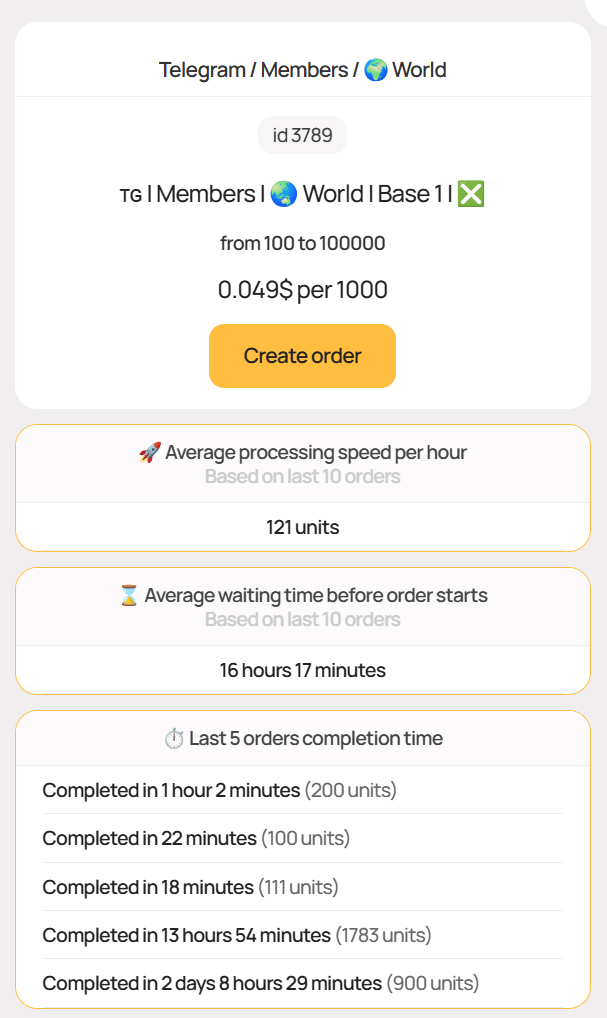
Transparent Statistics
It is often critically important to know how a particular service will actually be performed. We understand this, which is why our users see all the necessary statistical information about each service where possible, allowing them to get predictable results and most importantly - positive impressions from the order. We provide data such as:
We collect statistics from all services and always show all the above information if the service statistics are sufficiently current
Statistical data may not be available:
- on new services initially
- on some unpopular services
- on special services that are performed manually
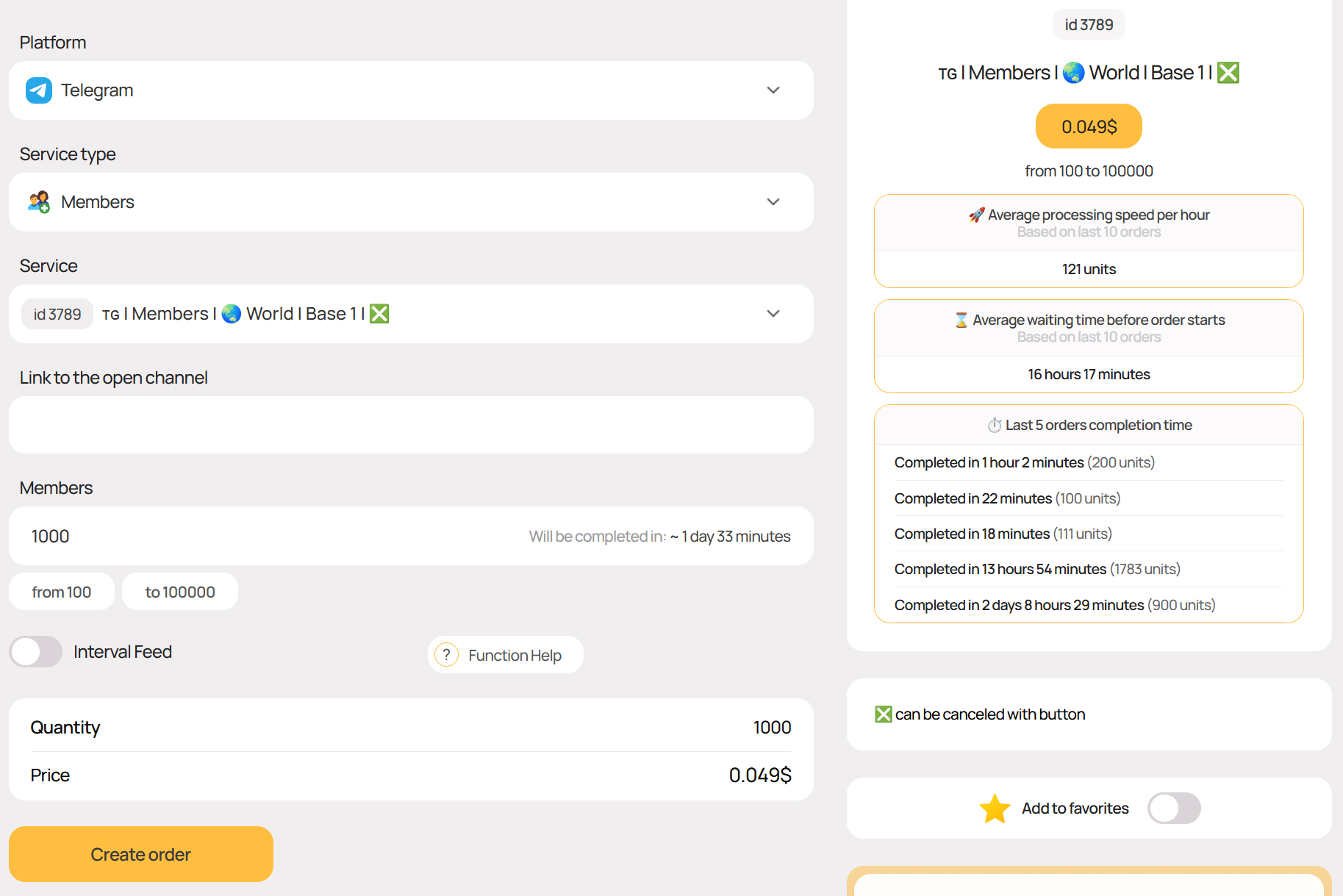
Completion Time
When entering data in the quantity field, our system will automatically calculate the estimated completion time for your order if current statistics are available for the service
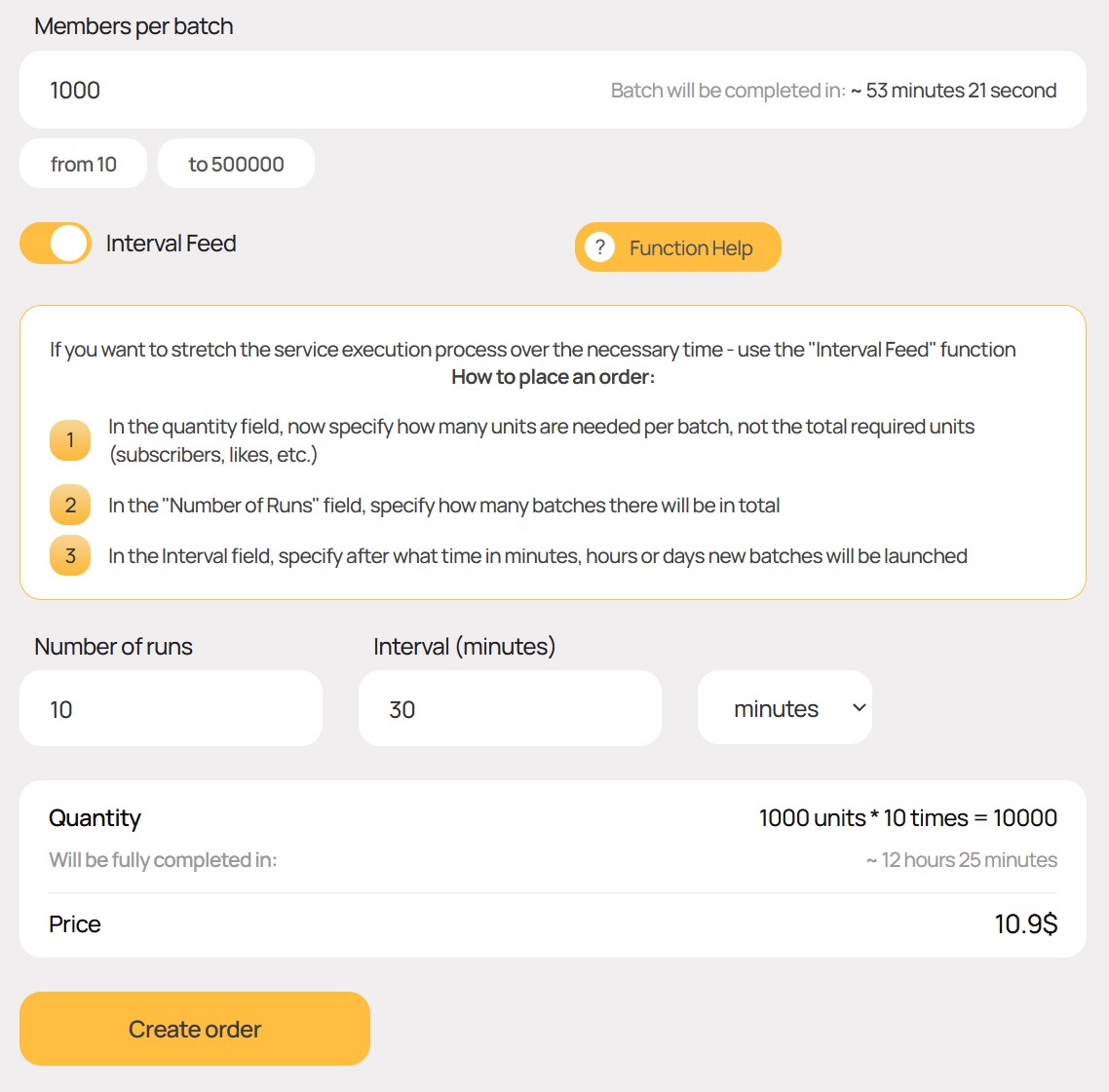
"Interval Delivery" Function
Knowing the service completion speed, as well as how long the service will take to complete with a one-time order in your case, you may need to reduce this speed
The solution would be to divide your order into several smaller ones and launch them after the required amount of time
With us, you won't have to do this manually, as we have a special interval delivery function. Thanks to it, orders will be created automatically, freeing you from routine actions
When creating an order, you will be able to see how much time will be required to complete both an individual order and the entire series of orders. The interval between orders can be specified in minutes, hours, or days
Advanced Catalog
For thousands of our services, we have specially developed a convenient multi-level catalog. Every service is in its place. 100% order, 0% chaos. Select a platform, category and service type - get only the services that interest you
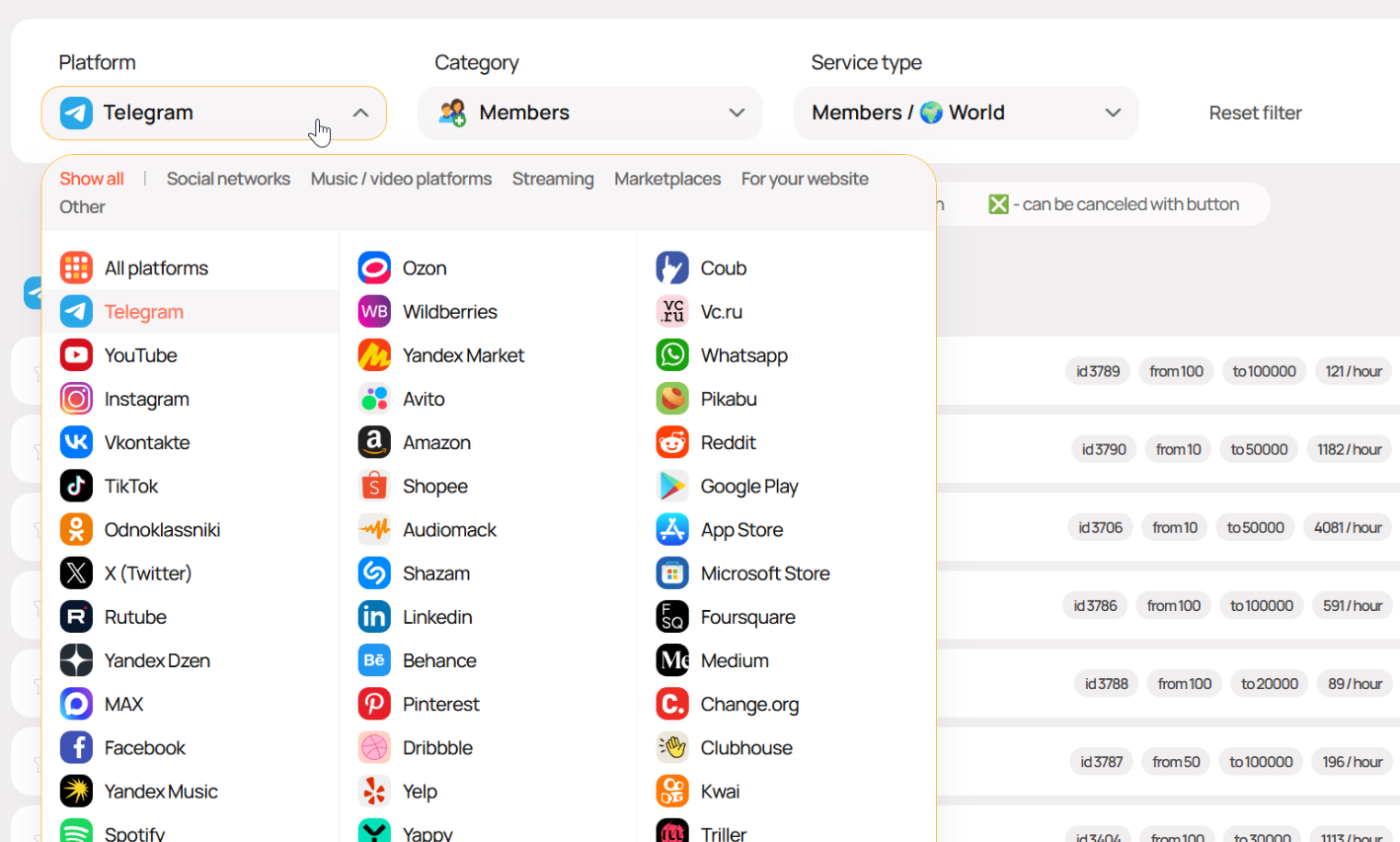
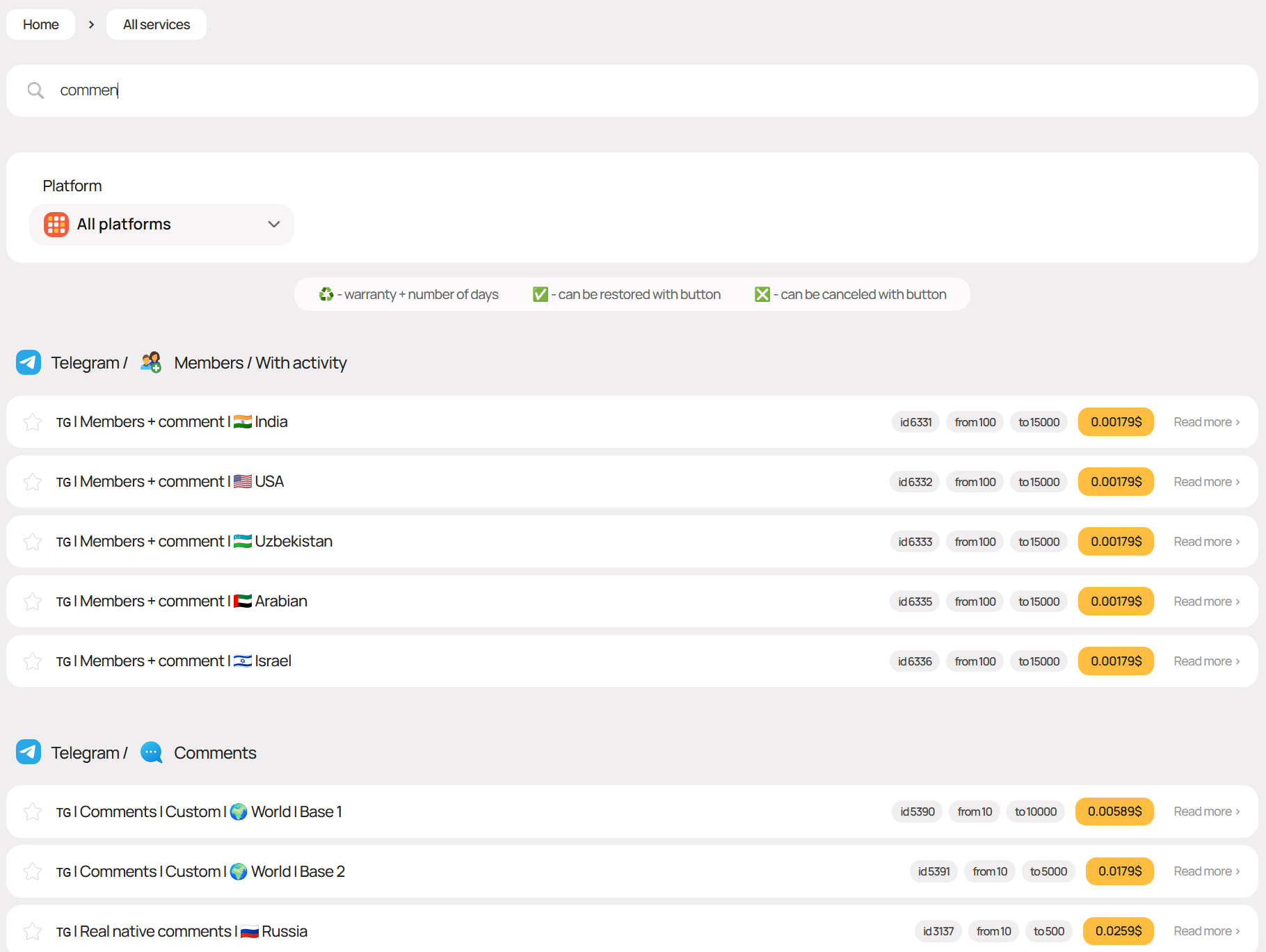
Quick Filtering on Services Page
By entering a keyword or service ID in the search field on the page with a list of all services, you can instantly filter out unnecessary results
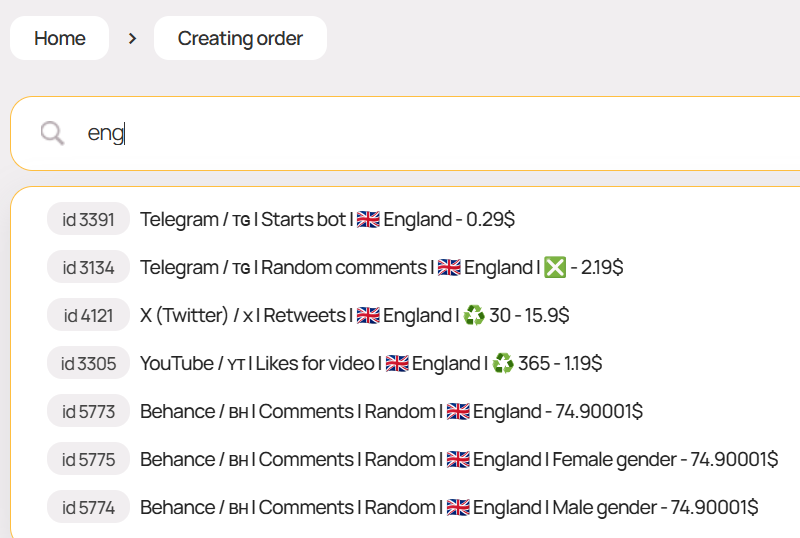
Smart Search on Order Creation Page
On the order creation page, you can quickly find the desired service by keyword from its name or by ID
"Favorites" Function for Preferred Services
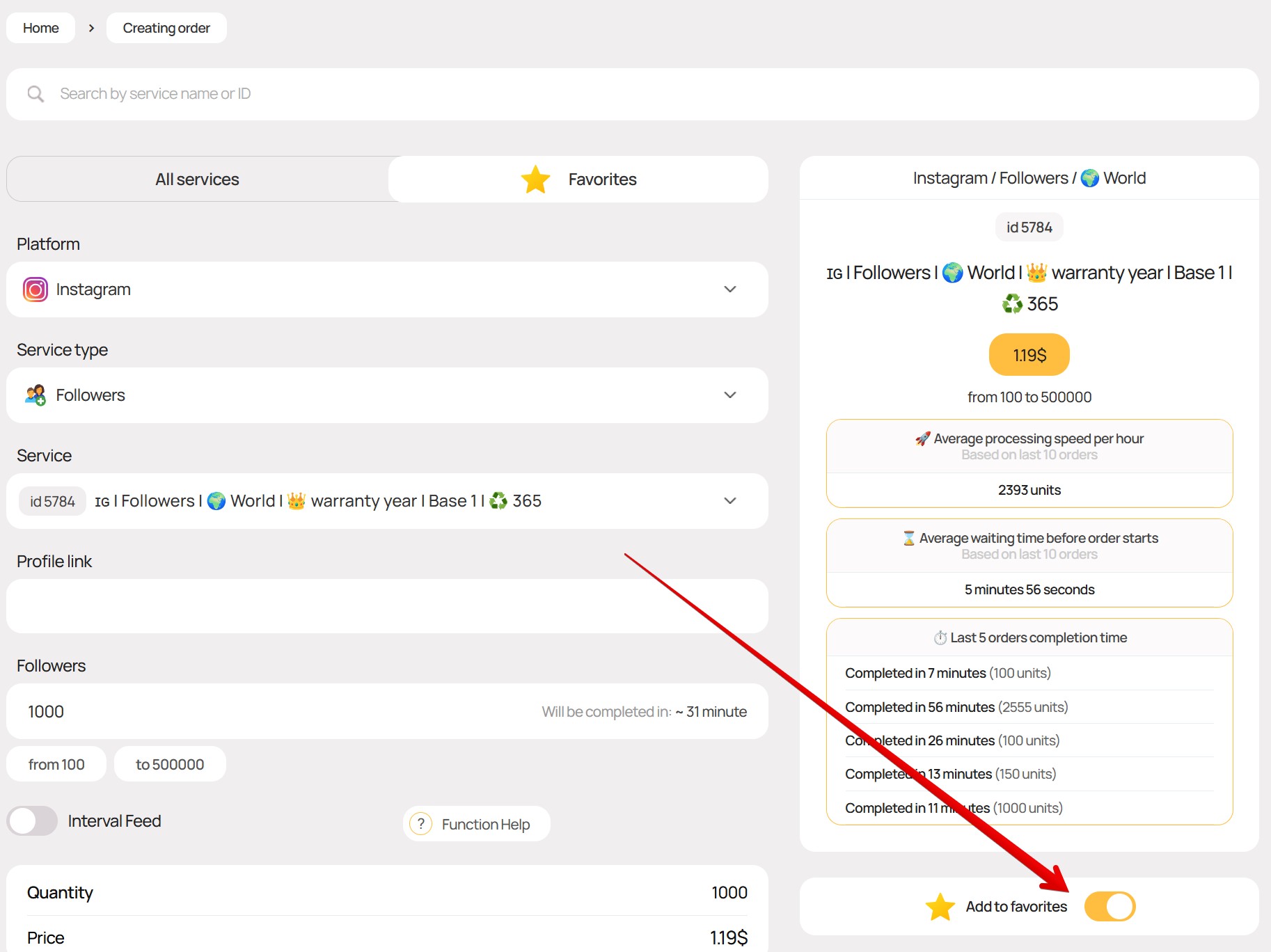
On the order creation page, you can switch to the Favorites tab, which will contain only services you have previously selected
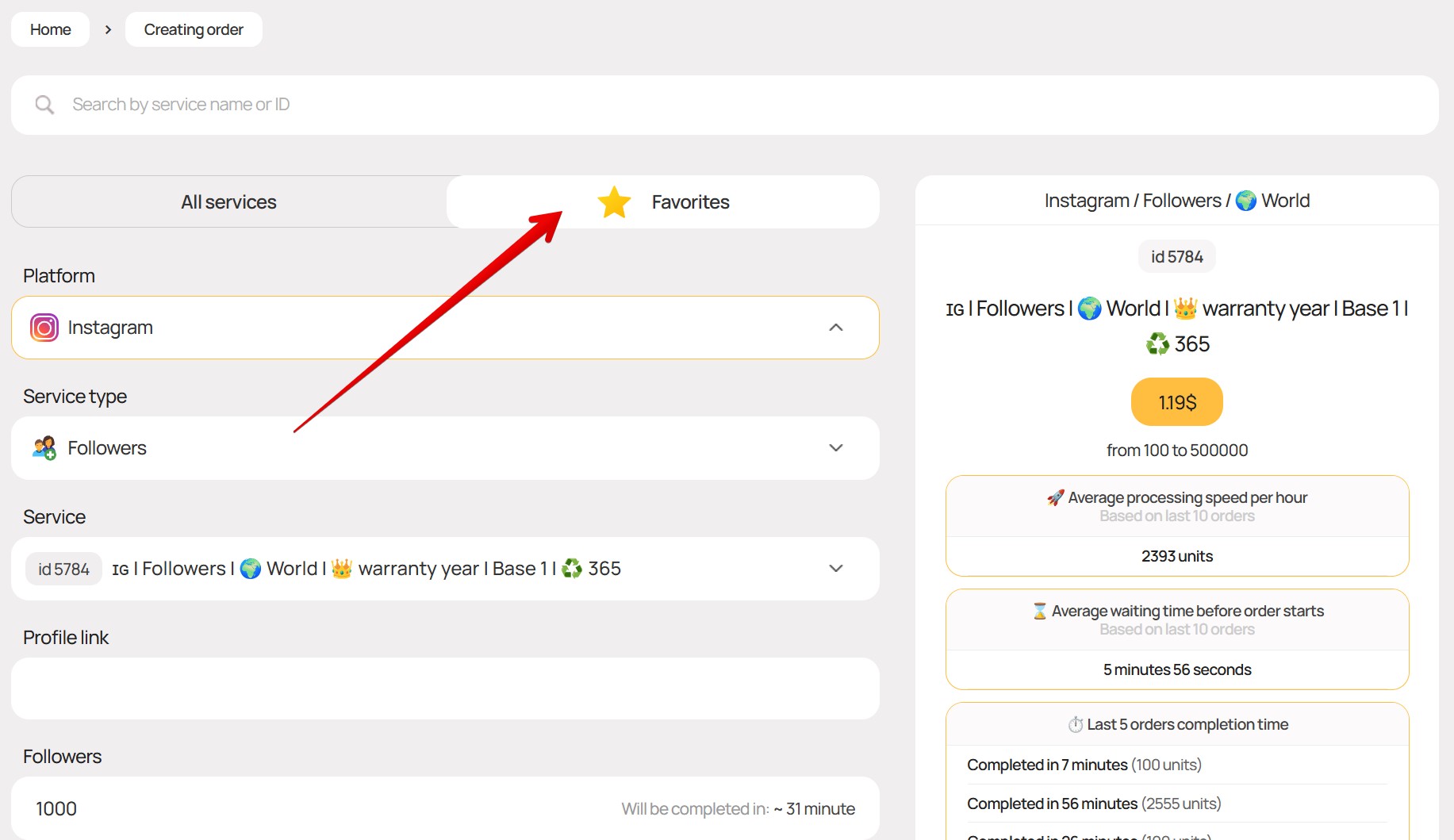
On the order creation page, you can add a service to favorites by clicking the toggle as shown in the screenshot below
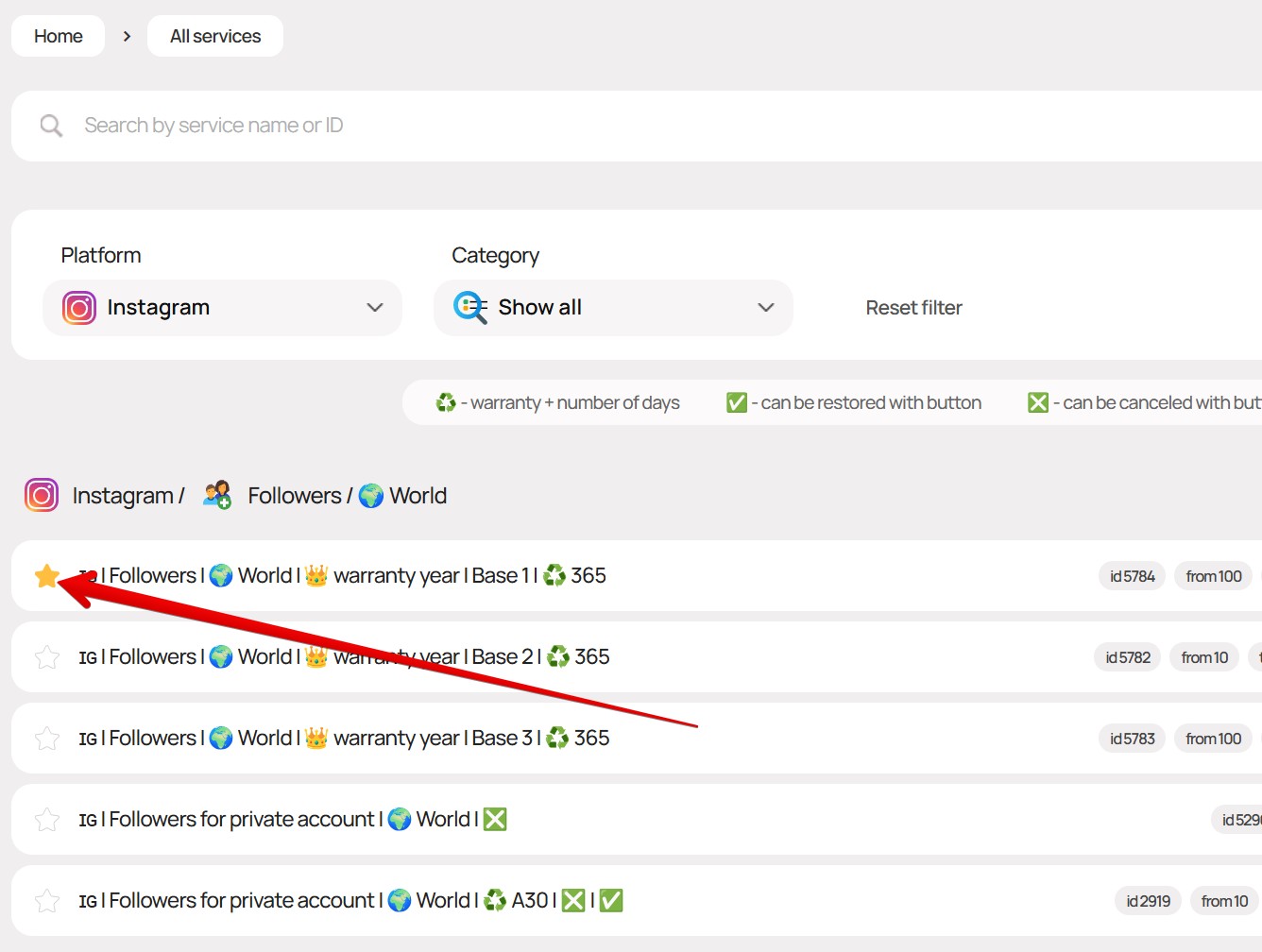
On the page with a list of all services, you can add any service to favorites by clicking the star as shown in the screenshot below
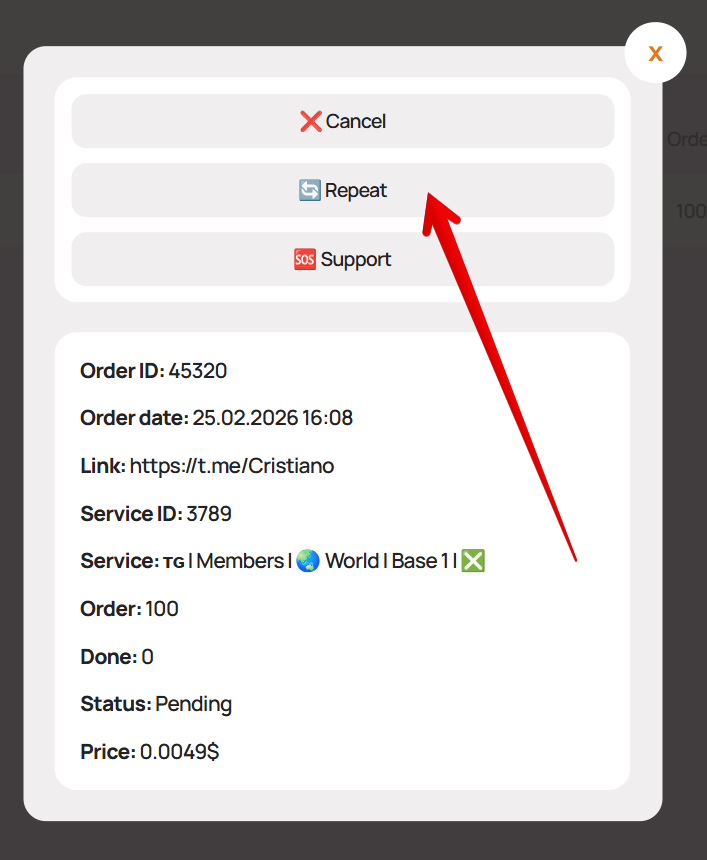
Quick Order Repeat
To quickly repeat an order - click on the order in your personal account and then click the "? Support" button
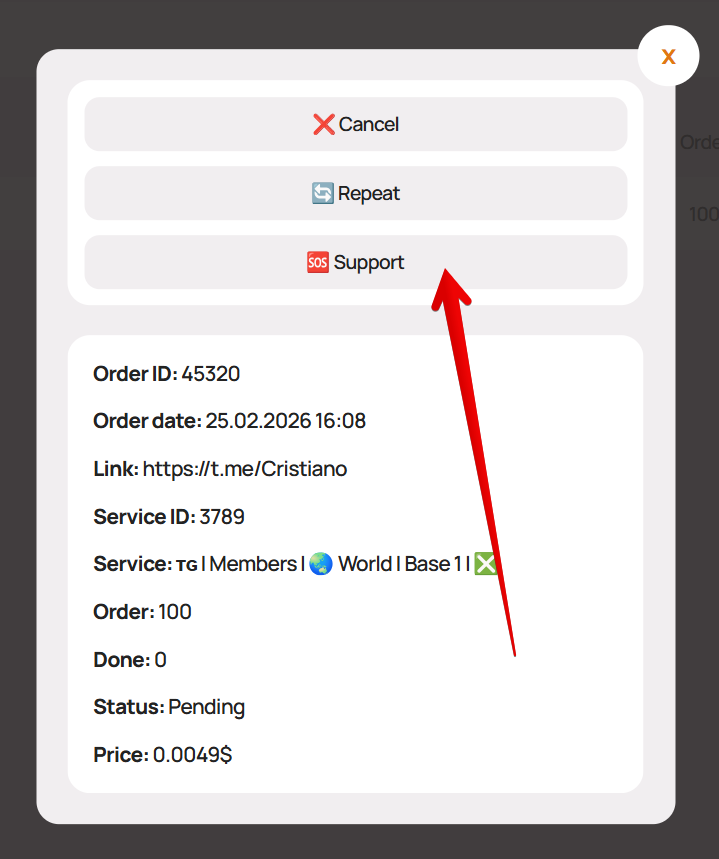
Contact Support About an Order
To contact support about an order - click on the order in your personal account and then click the "? Repeat" button
The function can be used not only to repeat the exact same order
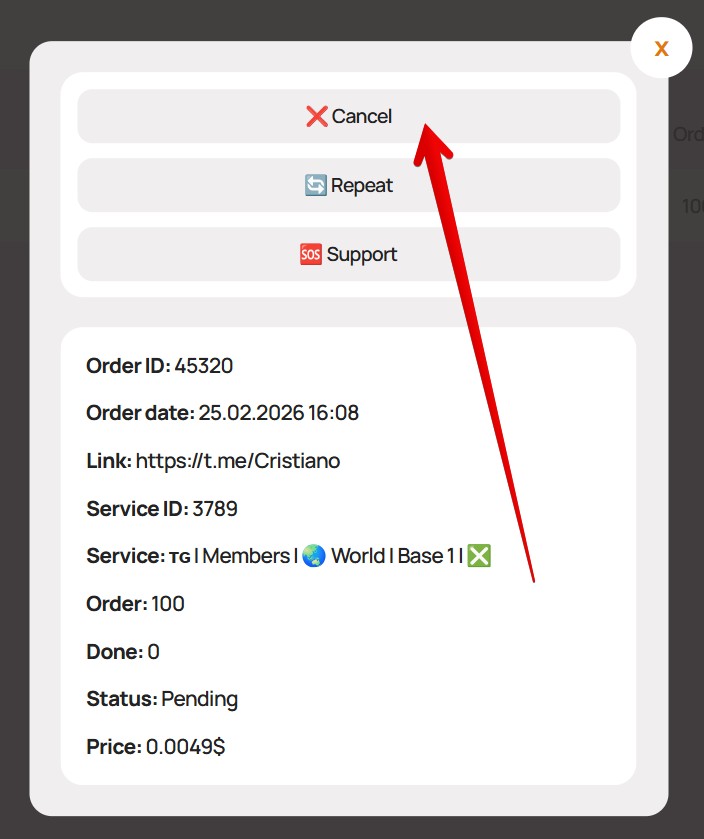
Cancel Running Order with One Click
Some services support the ability to cancel an order in "Processing" status without contacting support
Such services will have an ❎ icon in the name
To cancel a running order for such a service with a refund of the remaining funds to the balance - click on the order in your personal account and then click the "❌ Cancel" button